
A whole night of service, in one system.
Bookings, floor, kitchen and till all work on the same order, on the tablets and phones you already have. And when you close, you ask your restaurant how the night went.
- 20-minute demo
- No commitment
- Works next to your invoicing software


One night of service, from the first booking to closing time.
This is a Thursday at Trattoria Sole, a sample restaurant with three locations. Every screen is the app exactly as it is.
20:30
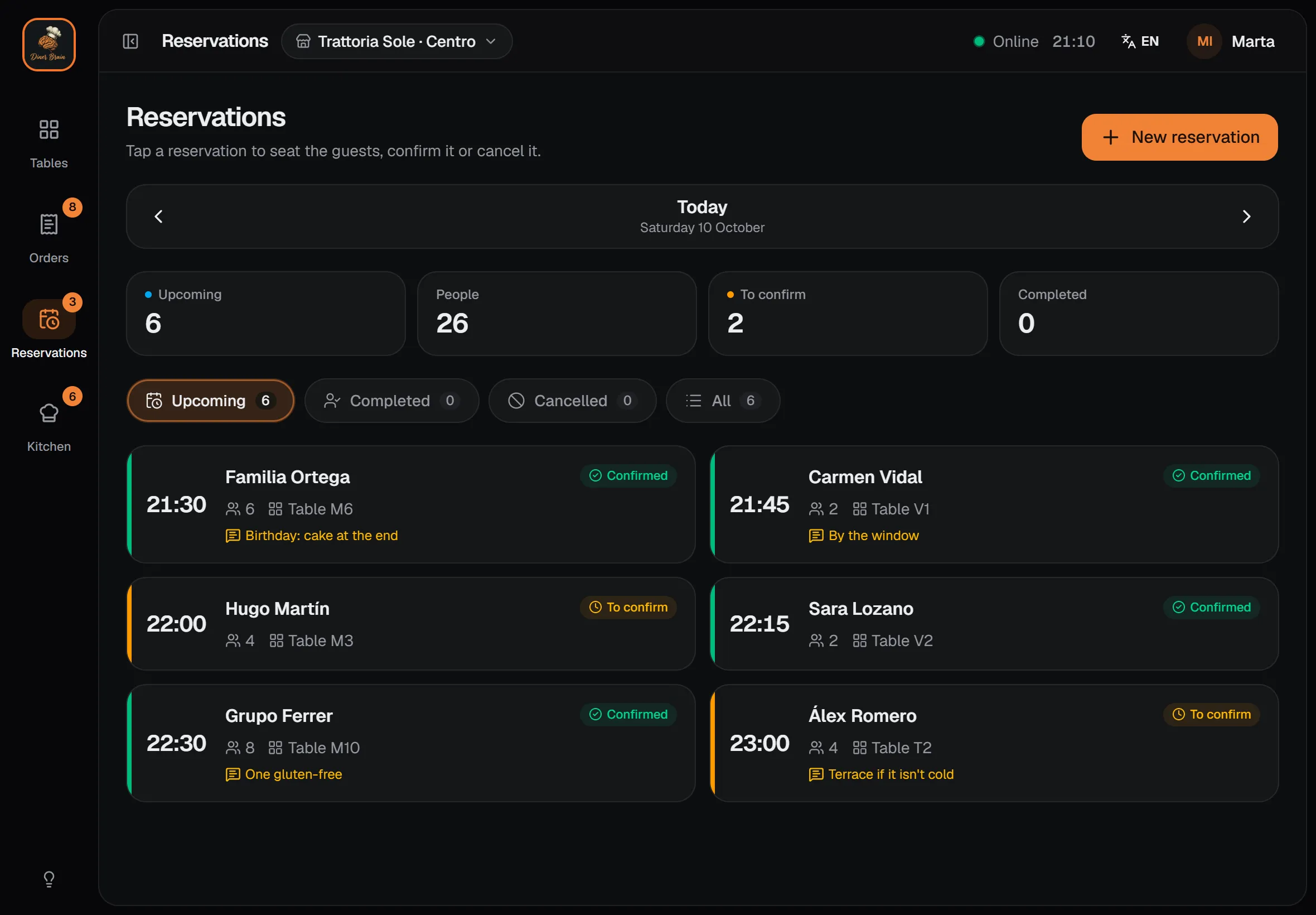
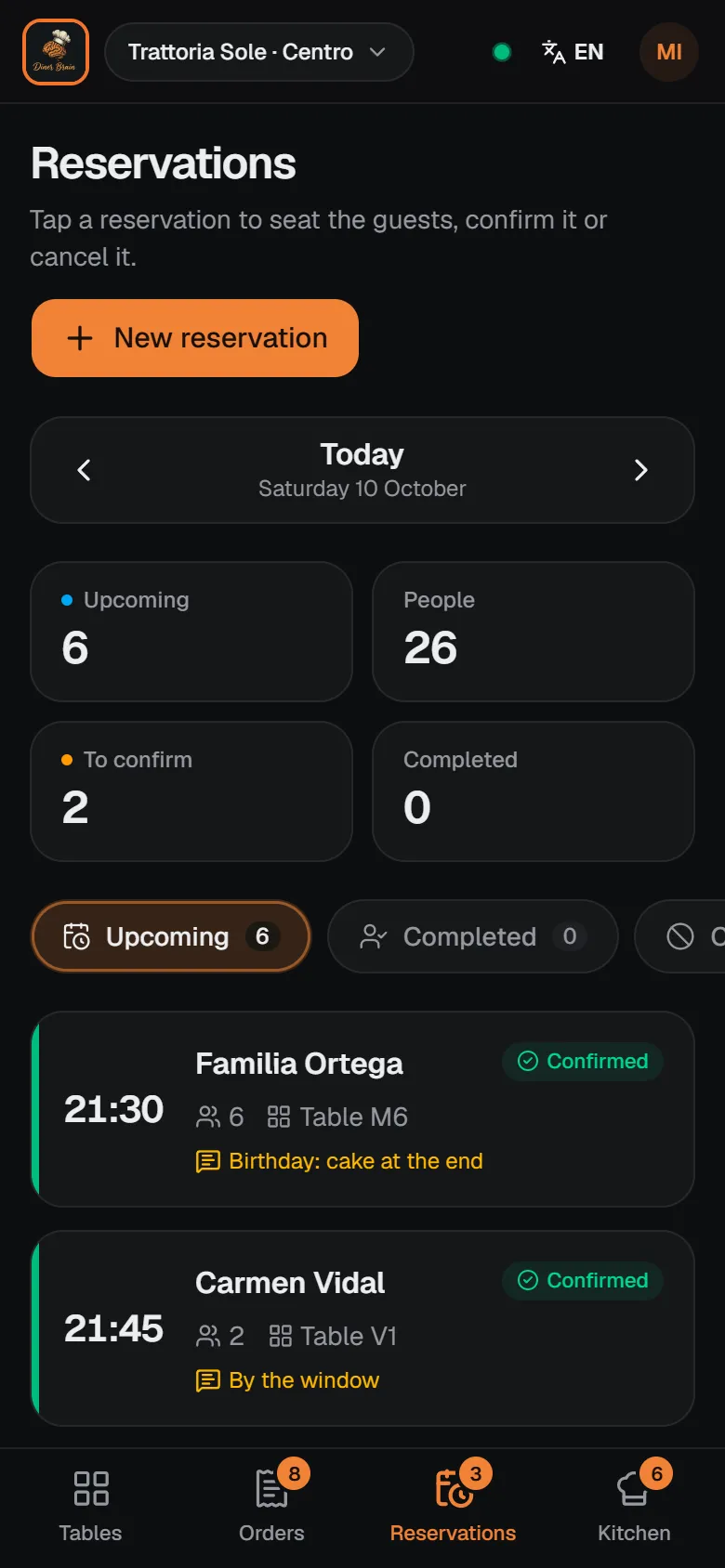
The floor knows who is coming, and to which table.
Tonight's bookings show their time, party size and notes. Confirm, seat or cancel them with one tap.
- Birthdays, allergies and requests in sight
- Every booking marked on its table in the map
20:55
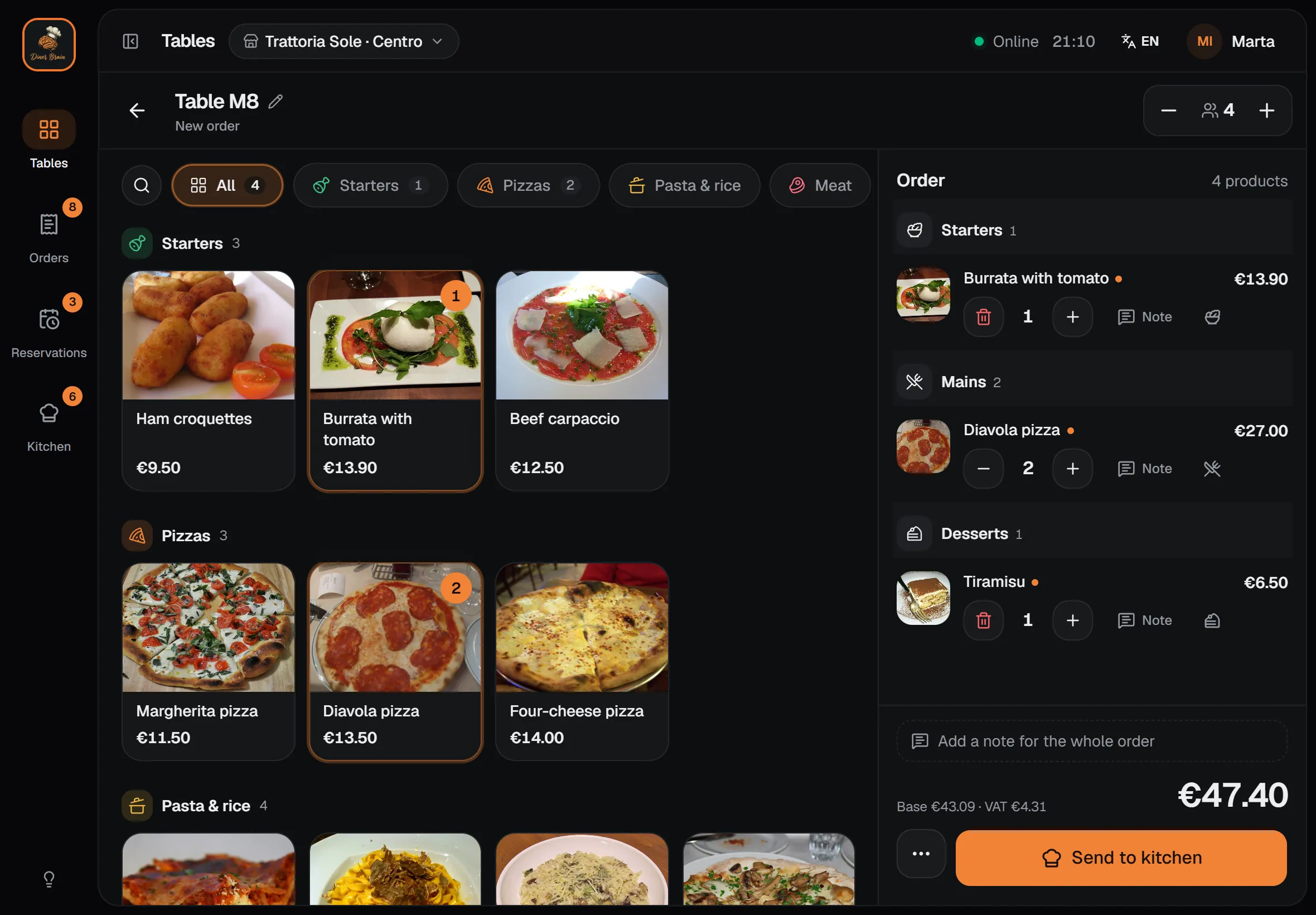
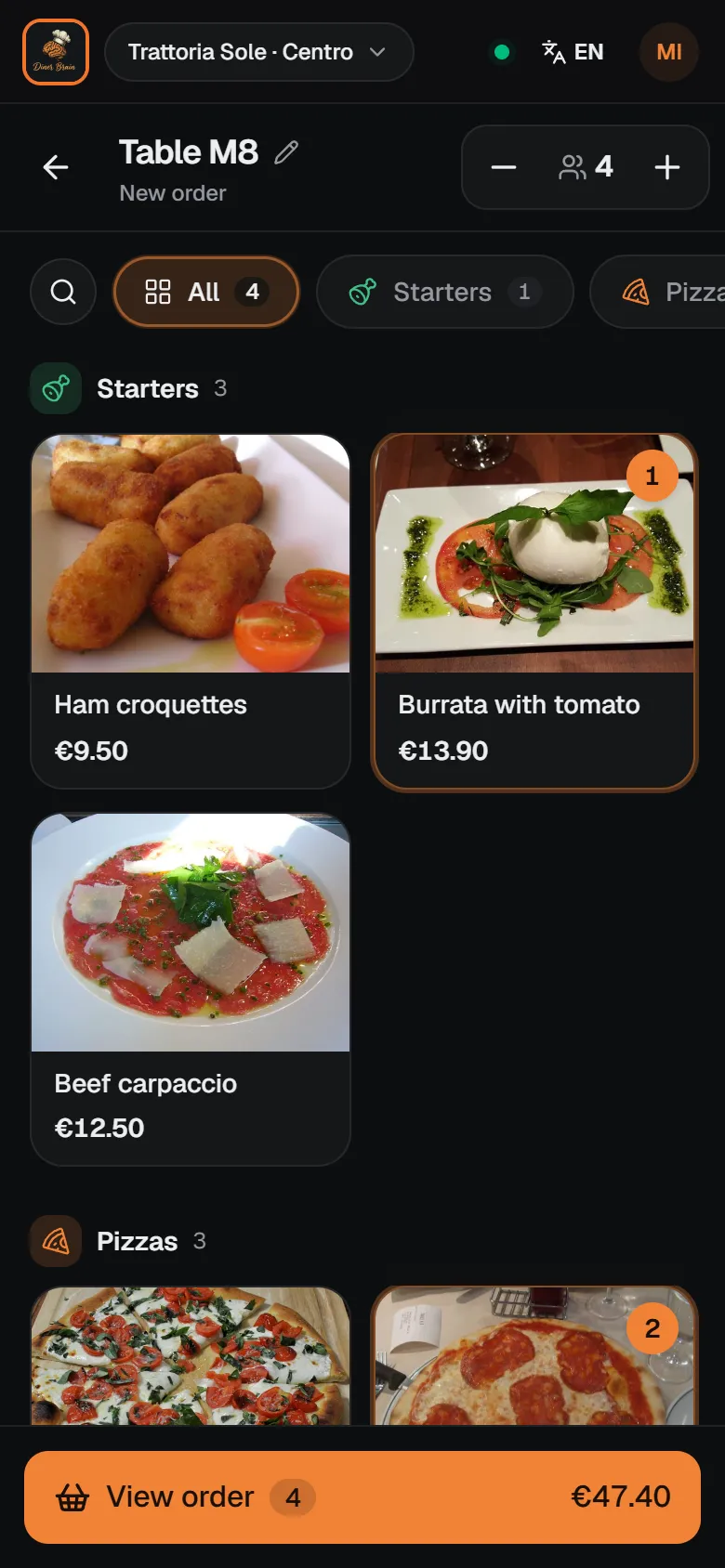
The order is taken at the table, dish by dish.
The waiter opens the table and orders from the menu with photos. Notes per dish, number of guests and the total as you go.
- One tap per dish, no paper
- Net amount and VAT worked out on every line
21:10
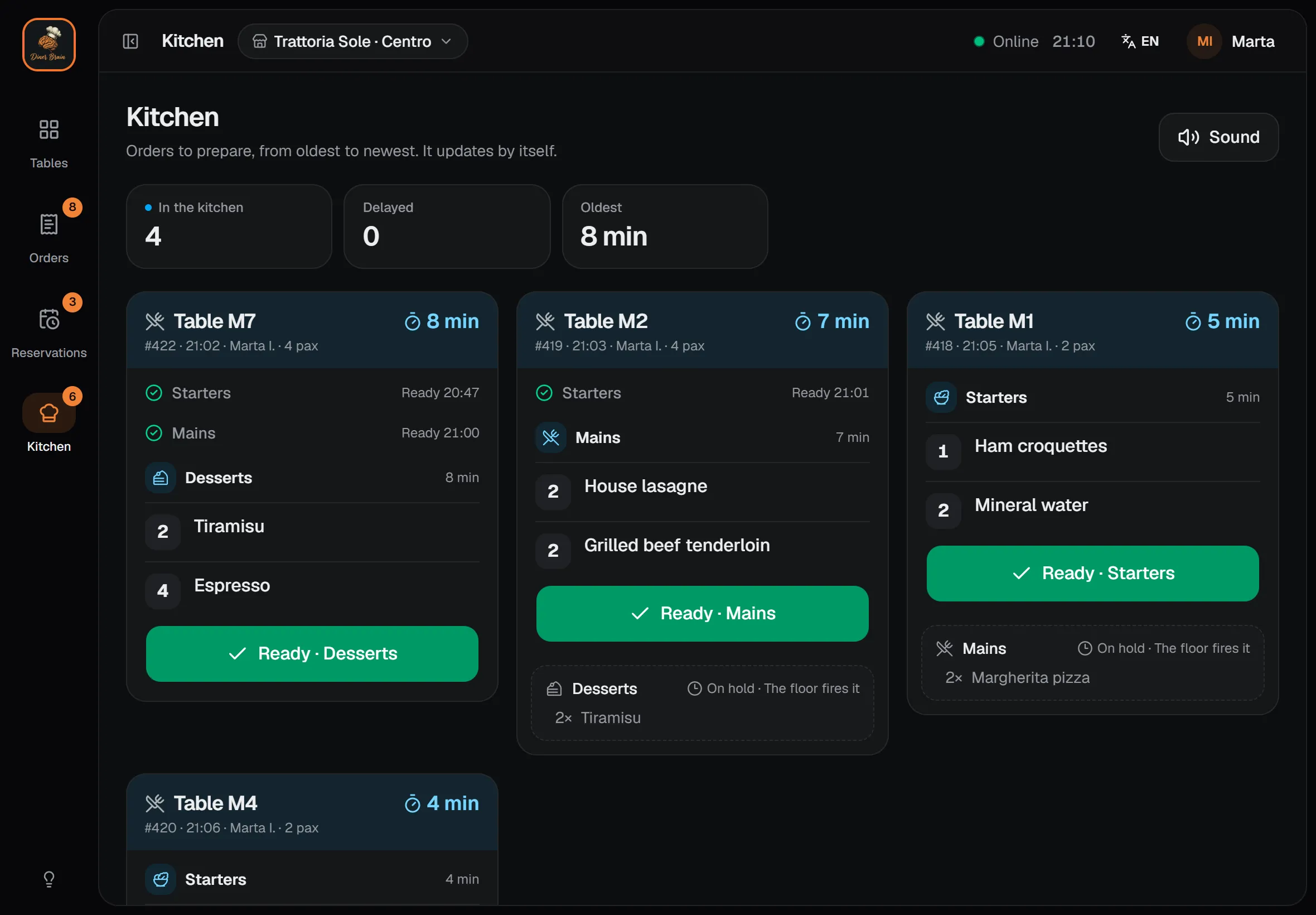
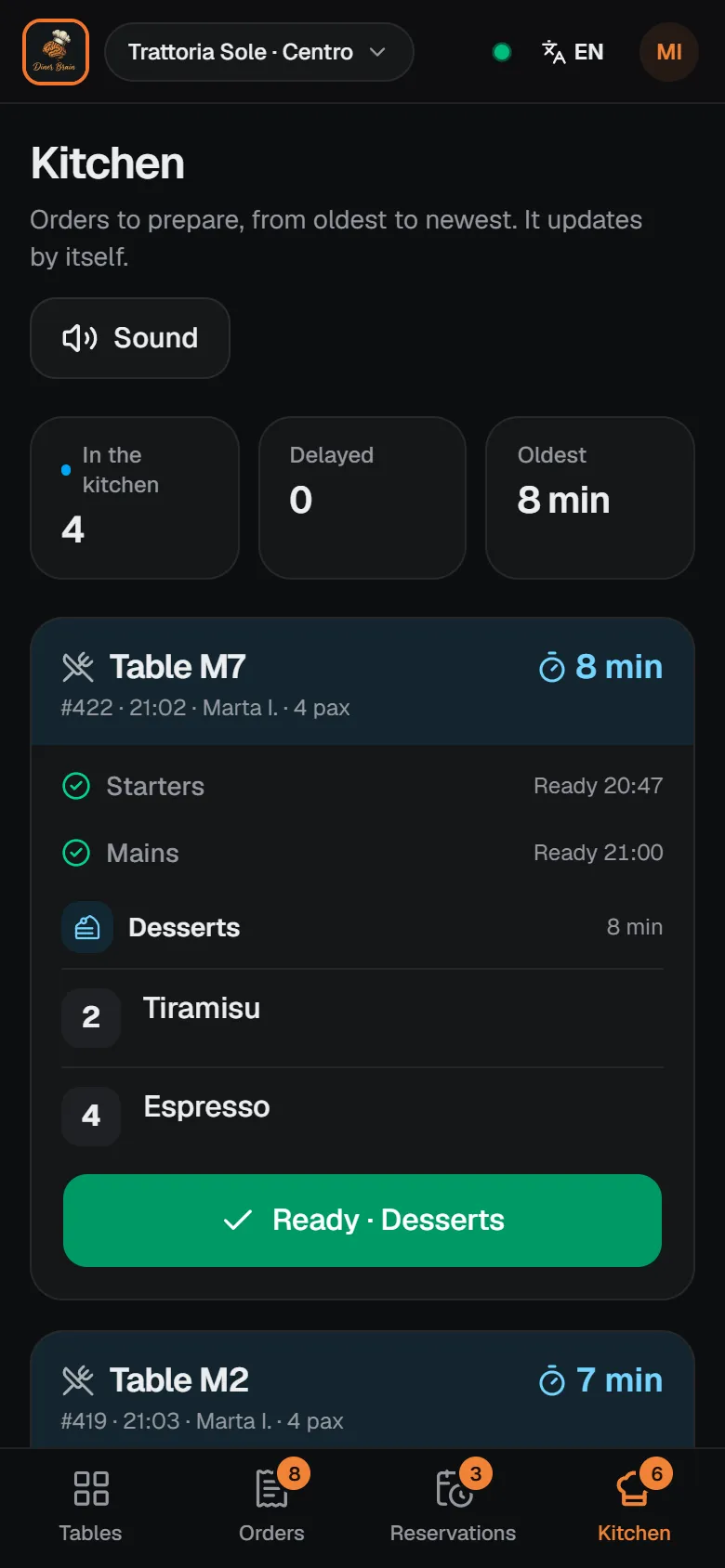
The kitchen sees every order instantly, and knows what goes first.
Orders arrive with a sound alert and line up from oldest to newest. Anything running late turns red.
- Colours by waiting time
- No kitchen screen? The floor marks orders as ready
23:40
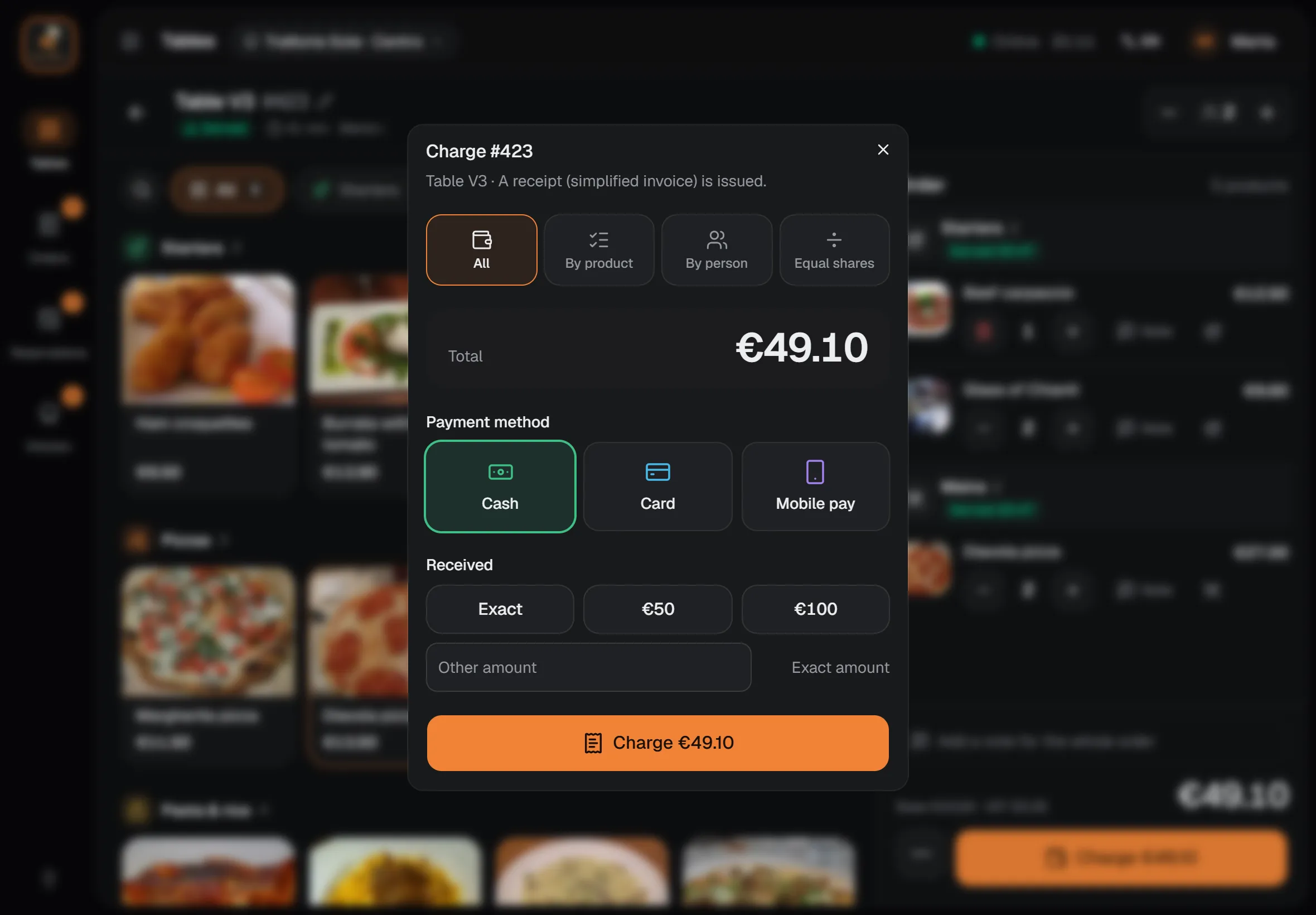
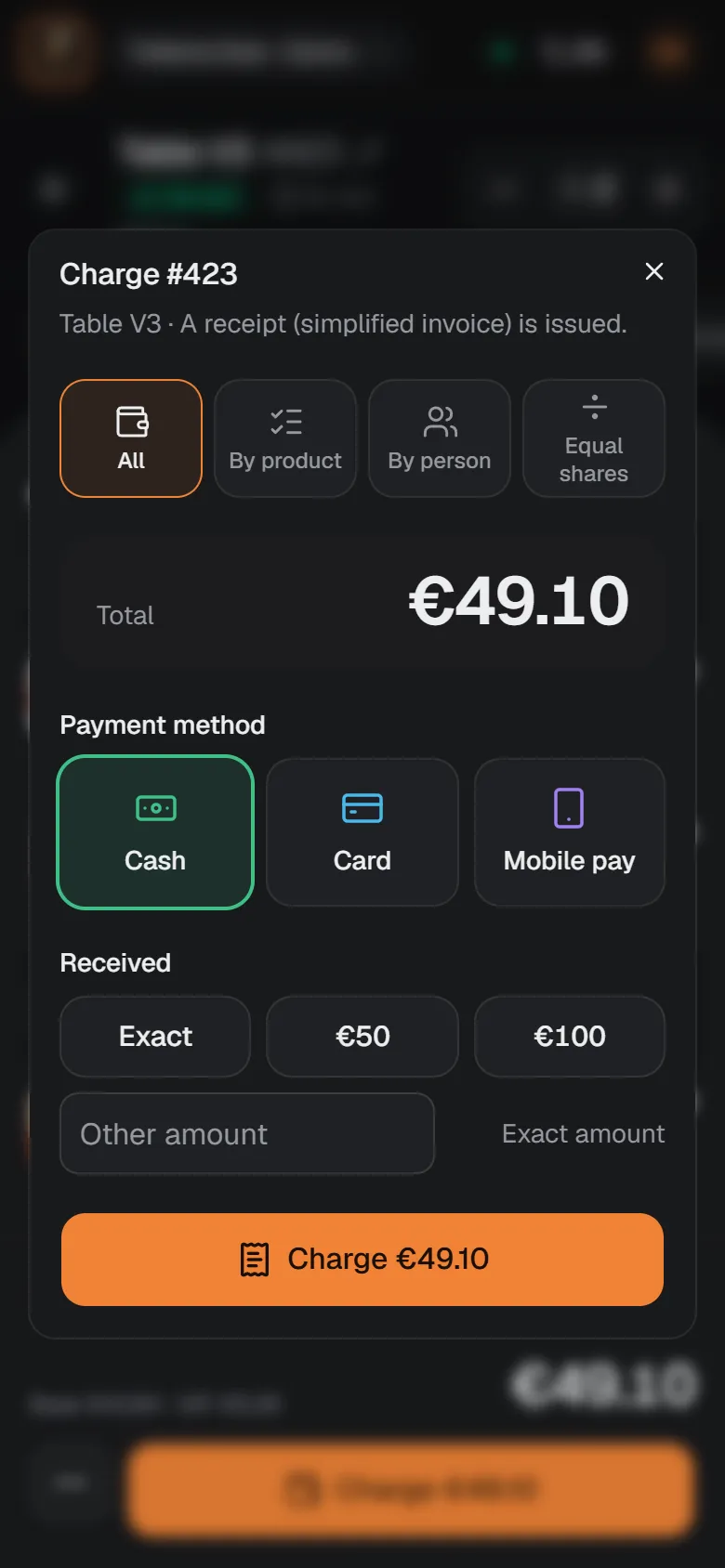
Taking payment is picking the method, and done.
Cash with the change worked out, card or whatever method you use. The table is free at once on every device.
- A receipt of the bill for the guest
- Your certified software keeps issuing the tax invoice
00:30
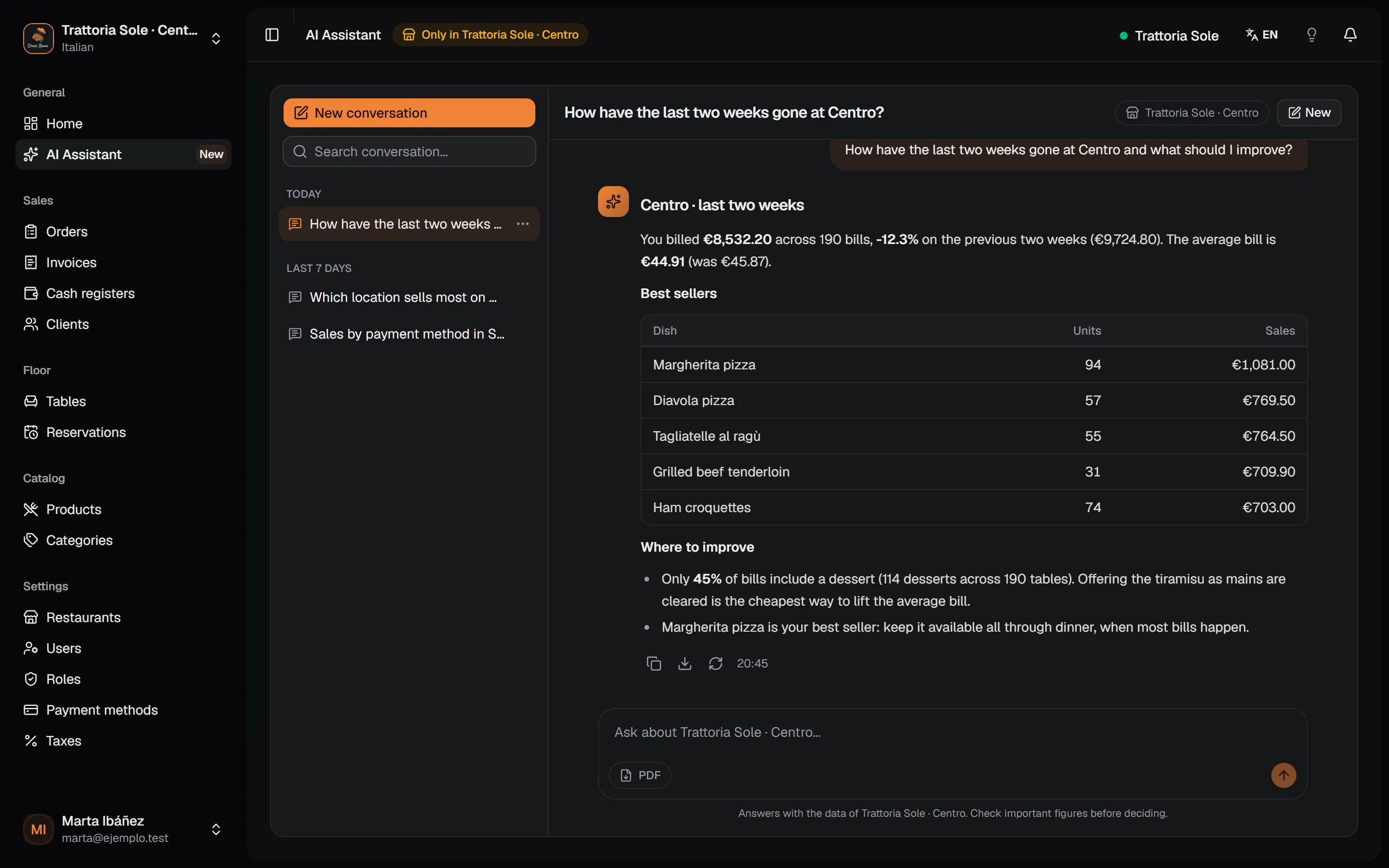
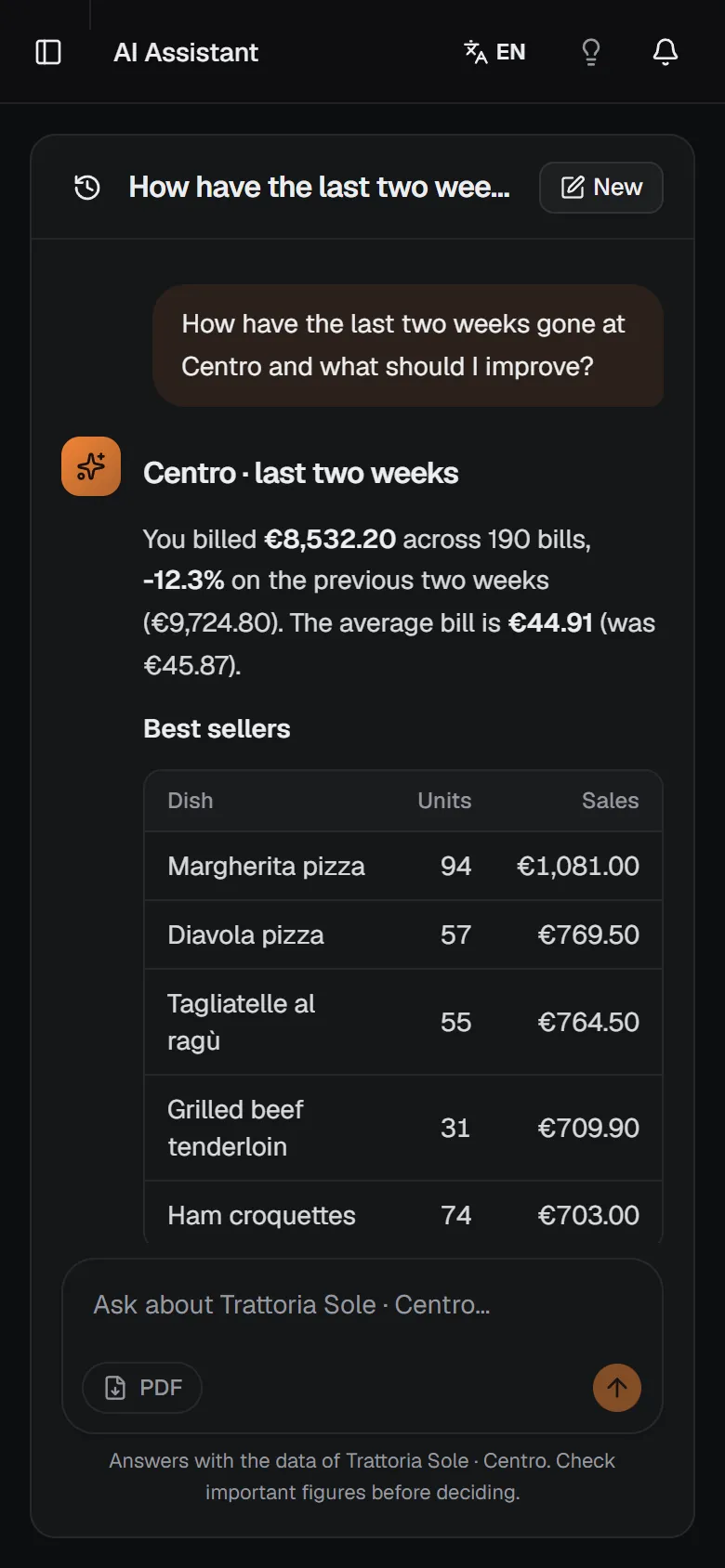
And at closing, you ask your restaurant.
Type the question as you would ask your manager. The assistant looks at your sales, dishes and tables and answers with figures, not another report to read.
- Comparisons, dishes and concrete suggestions
- The answer as a PDF, too


Every location, in one dashboard.
From your computer or phone, see how each location is doing today, its sales over recent days and the bookings coming up. Menu and taxes are set up once for all of them.


- Shared by all
- Menu, categories, taxes, payment methods and clients.
- Per location
- Tables, bookings, orders, invoices and questions to the assistant.
- Everyone sees their part
- Floor, till, kitchen or manager, with permissions you decide.
Try it next to what you already use.
Nothing has to go. Diner Brain starts alongside your invoicing software and your card terminal, and you decide how far it goes.
What it does
- Tables, orders, bookings and kitchen in real time
- Menu, taxes and payment methods for every location
- Users with roles and permissions to suit you
- Sales and VAT summaries by period
- An assistant that answers about your business
What it doesn't do, and who does
- Certified tax invoicesToday your certified software issues them. Issuing them from Diner Brain is on our roadmap.
- Card terminal paymentsYou charge on your terminal and mark it as card in Diner Brain.
- Delivery, loyalty and inventoryNot part of this version.

Three ways to start.
Priced per location, no lock-in. In the demo we find the plan that fits your place and walk you through the terms.
Venue
For a restaurant that wants a smoother service.
- Tables, orders and bookings
- Kitchen screen with sound alert
- Payment with receipt and change worked out
- Cash register control: opening, count and closing
- Menu, taxes and payment methods
- Assistant with basic usage
From €79per month per location, + VAT
Let's talk(opens in a new tab)Group
For owners running several locations who want to see them together.
- Everything in Venue
- Several locations with a shared menu and taxes
- Dashboard per location, sales and VAT summaries
- Roles and permissions to suit you
- Assistant with more questions and PDF reports
From €129per month, up to 3 locations. €45 for each extra location. No cap on locations. + VAT
Let's talk(opens in a new tab)Tailored
For groups with needs of their own.
- Everything in Group
- Guided set-up
- Training for your team
- Assistant usage to match your volume
- Direct contact with the person building Diner Brain
TailoredWe work it out with your locations and volume
Let's talk(opens in a new tab)
Torn between two plans? We'll look at it with your venue's numbers in the demo.
Before the demo
What owners usually ask before trying it.
Do I have to drop my current software?
No. You can start with Diner Brain on the floor and in the kitchen and keep invoicing with your certified software. You decide when and how much you use it.
What about the tax invoice? Who issues it?
Diner Brain runs the floor, the kitchen and the payment, and your certified software keeps issuing the tax invoice. Our plan is for you to issue it from Diner Brain without running two programs; in the demo we show where we are and what you would need to do.
What if the internet drops mid-service?
Short drops don't lose orders: anything taken offline is sent as soon as the connection is back. While there's no network, the screen tells you.
What devices do I need?
The ones you already have: tablets or phones for the floor, a screen for the kitchen if you like, and a computer or phone for the dashboard. It runs in the browser and installs like an app.
What can I ask the assistant?
About your sales, dishes, orders, bookings, payments and locations: what sells least, which location is doing best, how much was paid in cash today. It answers with your data, not industry averages.
How much does it cost?
Venue starts at €79 per month per location and Group at €129 per month for up to 3 locations, with €45 for each extra location (plus VAT). No lock-in. In the demo we see which one fits.
Book a table for your demo.
Twenty minutes on a video call with the person building Diner Brain. I'll show you a night of service with a sample restaurant and we'll see together whether it fits yours.
The calendar opens in a new tab. Pick a slot that suits you and you'll get the invite by email.
What you'll see
- 0–5 minHow your restaurant works today
- 5–15 minA live night of service, from booking to payment
- 15–20 minYour questions to the assistant and the plan that fits